Page Controller
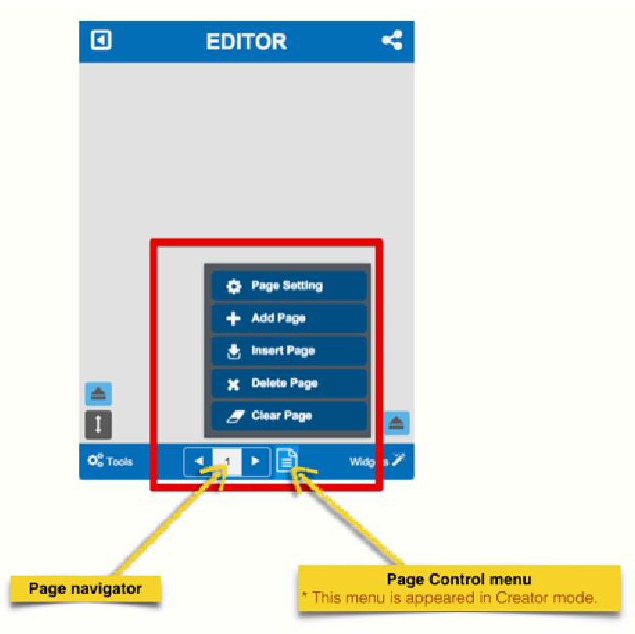
The ‘Page Controller’ is at the centre of the bottom tool bar of WikiParti UI. User will meet this menu in both View mode and Cre-ator mode. However, the ‘Page Control menu’ will appear only for the ‘Creator mode’. Users can not see and use it in View mode.
7.1. Page Navigator
The ‘Page navigator’ provides the two different functions for nav-igating page in a WikiBook.
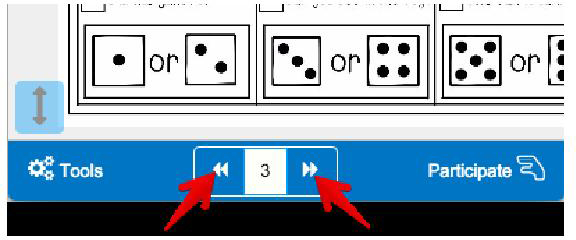
A.Paging Button
By clicking the left and right paging button, users can navi-gate each page in a WikiBook.
B. Input page number
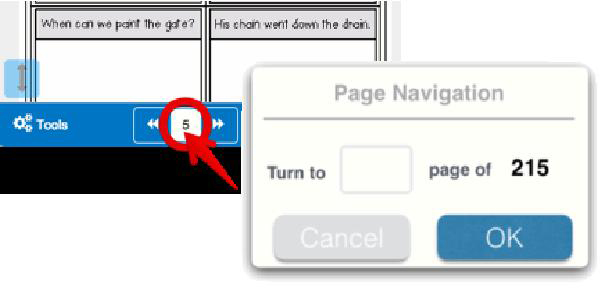
If you want to go to a specific page directly, click the page
number. You will then be taken to the page of your choice.
7.2. Page Control Menu
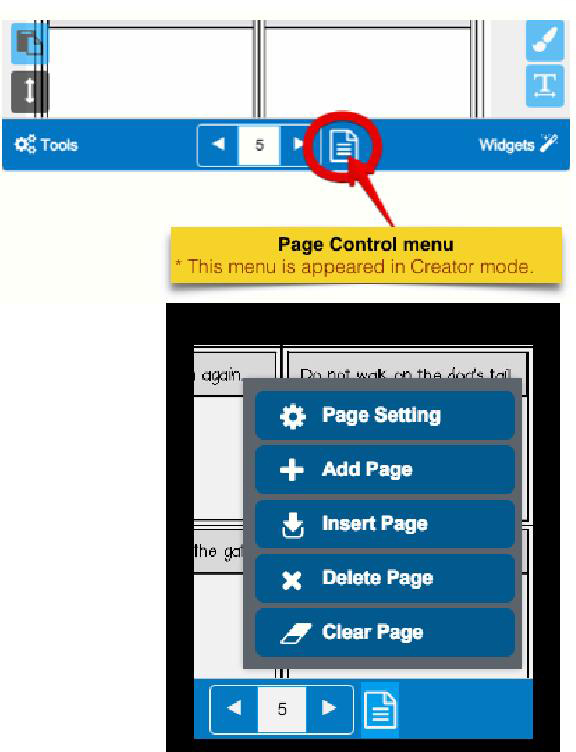
The ‘Page Control menu’ is active in Creator mode. With this menu, a WikiBook creator can handle the WikiBook’s page properties and volume.
A.Page Setting.
With ‘Page Setting’ dialog, you can set the ‘Fit to screen mode’ of the current page and Hide/Show the ‘Page Navigator.
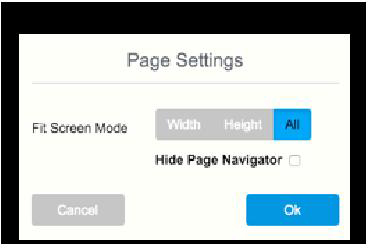
- ‘Fit Screen mode’ determines how the page will appear when it is open. And it will affect to mouse wheel operation on your laptop.
- If ‘Hide Page Navigator in view mode’ option is checked, the Page Navigator will not appear in view mode. It mean the cre-ator has to provide one or more custom page navigator (e.g. Goto Page action button).
B. Add / Insert / Delete/ Clear Page
- Add page will add a new page at the end of the WikiBook.
- Insert page will add a new page just right after the current page.
- Delete page will delete the current page.
- Clear Page will remove all the content in the current page.
- ** CAUTION : In case of ‘Delete’ and ‘Clear’ page, Once the action operated, You can not recover (redo) it.